What Is Lumina: AI Image, Video, Canvas & Agents in One Platform

Affiliate disclosure: links on this page may earn us a commission at no extra cost to you.
Lumina is a generative AI platform where, in a single account, you can create images and videos, work in Canvas, and use AI agents. Instead of assembling a separate set of services for each task, you pick the tool and the model you need inside one platform.
Lumina is a good fit for people who regularly make visual content, prepare advertising materials, experiment with ideas, or want to speed up repetitive tasks. And thanks to the different models, you can choose a tool for a specific goal: from a quick sketch to a polished image or video.
What you can do in Lumina
Create images
You can describe an idea in words and get an image, then refine the result: change the style, composition, details or mood. This is useful for illustrations, concepts, advertising creatives, covers and visual drafts.
Generate video
Video models help turn a text description or a visual idea into a short clip. This can be handy for storyboards, test scenes, social media and concept presentations. Capabilities, duration and quality depend on the model you choose and your available plan.
Work in Canvas
Canvas is best thought of as a space for creative work with visual materials: collecting ideas, refining compositions and building a workflow around a project. Before subscribing, check which Canvas features are included in the plan you choose.
Use AI agents
Agents can help carry out multi-step tasks and connect several actions into one workflow. For example, they can prepare concept options, help write a prompt, or simplify the routine part of preparing content. It is still worth checking the result: AI can make mistakes or misunderstand the task.
Lumina plans and credits

Lumina offers a trial option for $0.99, and among the paid options there is the Ultra plan. Before paying, check the current pricing page: the price, the number of credits, the set of features and the trial terms may change or differ by region. See our Lumina pricing page for the full list of plans.
| Option | What to keep in mind |
|---|---|
| Trial access — $0.99 | Good for testing the platform. Check the validity period, the number of credits, the available models and the renewal terms. |
| Intermediate plans | Compare the monthly cost, the credit package and access to the tools you need. Names and contents depend on the current pricing page. |
| Ultra | The top plan for those who need more intensive access. Before subscribing, check the size of the credit package, model limits and the credit renewal rules. |
How credits work
Credits are an internal limit on using generative features. Different operations may spend them differently: the cost depends on the chosen model, the type of generation and the settings. So the same number of credits can cover a different amount of work.
Before buying, it is useful to check:
- how many credits the plan gives and when they renew;
- how much it costs to run the model or feature you need;
- whether unused credits carry over to the next period;
- whether separate restrictions apply to video, Canvas or agents;
- what happens to the subscription after the trial period.
Do not choose a plan only by the number of credits: it is more important to understand how much your own type of tasks will cost. For example, frequent video generation can use up a package differently than quick image sketches.
Which Lumina model to choose
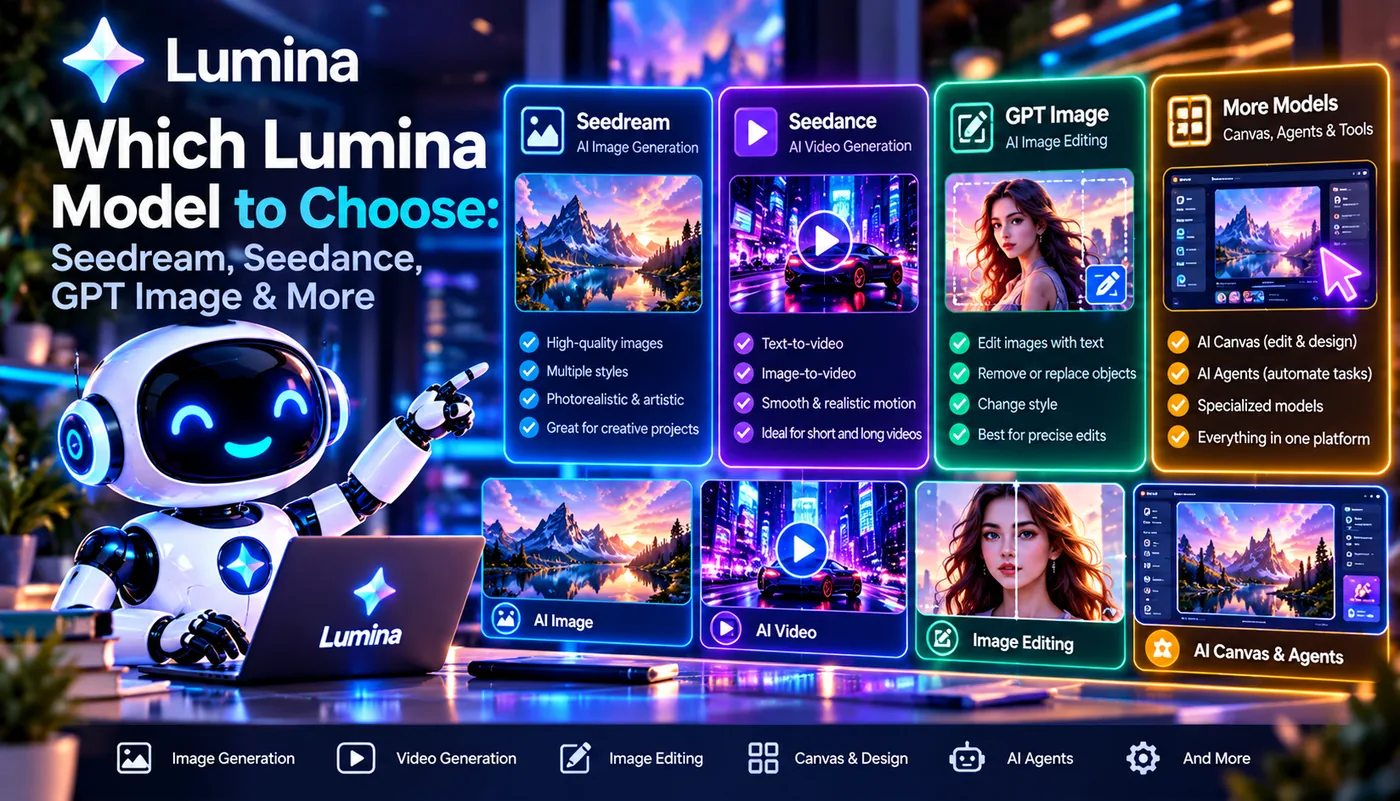
The set of models and their availability may be updated. Below is a practical guide to the models in Lumina; the specific result depends on the model version, the prompt and the settings.
| Model | What to try it for |
|---|---|
| Seedream | Creating images and visual concepts. Suitable for illustrations, stylized scenes and developing ideas. |
| Seedance | Video generation. Consider it when the task is to get motion or a short video scene rather than a still picture. |
| GPT Image | Creating and editing images from a text description. Can be convenient for tasks where it is important to follow instructions precisely and refine the result step by step. |
| Nano Banana | Quick experiments and sketches, when you need to check several directions or visual options fast. |
What to choose for portraits
Start with Seedream or GPT Image and compare the results on the same description. For a portrait, specify the age range, lighting, framing, facial expression and the style you want. Do not rely on a general promise that one model is always better: quality depends on the specific request and the current version.
What to choose for video
For video tasks, try Seedance. In the prompt, describe not only the subject but also the camera movement, the character's action, the pace of the scene and the atmosphere you want. If the result is meant for publication, check the available resolution, the video length and the usage restrictions.
What to choose for quick sketches
To check an idea quickly, start with Nano Banana. First choose the composition and direction, then move on to a more detailed generation with a suitable model. This approach helps you avoid spending time polishing a concept that has not been chosen yet.
How to earn with Lumina

Lumina has an affiliate program with a commission of up to 30%. Important: "up to 30%" is the maximum rate, not necessarily a guaranteed percentage for every partner or every referred customer. The commission size, the accrual period and the payout rules should be checked against the current program terms.
Three steps to start
- Join the affiliate program. Study the requirements, the available ways to promote and the brand usage rules.
- Get your affiliate link. Use your personal link or another tracking format that the program provides.
- Recommend Lumina to your audience. Talk about specific use cases and state the limitations honestly. Track clicks and earnings in the affiliate dashboard.
Affiliate income depends on the program terms and on the actions of the referred users. Before publishing promotional materials, check which wordings are allowed, how purchases are counted and when payouts are available.
Join the affiliate program →More about the Lumina affiliate program →
Who Lumina is for
Consider Lumina if you:
- create images or video for social media, advertising and presentations;
- want to test different models in one account;
- work as a designer, content creator, marketer or entrepreneur;
- often move from an idea to a draft and then to a finished visual;
- want to try AI agents to speed up repetitive tasks;
- plan to recommend the platform to your audience through the affiliate program.
If you only need generation occasionally, check the trial access first and read the renewal terms carefully. For regular work, compare the cost of several suitable plans with your expected credit usage.
Summary
Lumina combines tools for images, video, Canvas and AI agents in one subscription. The platform can be convenient for people who create visual content and want to choose a model for the task: Seedance for video, Seedream and GPT Image for images and iterative work, Nano Banana for quick sketches.
Before paying, be sure to check current prices, the number of credits, the available models and the terms of the $0.99 trial. And if you plan to earn from recommendations, study the affiliate program rules: the commission of up to 30% depends on its current terms.
Try Lumina →